Does Android Require Antivirus? The Complete Security Guide
If you are wondering Does Android require antivirus?, the short answer is no for most users. Modern Android phones already include several built-in security features that help protect against malicious apps, malware, and other common threats.
However, Android is not completely immune to security problems. The apps you install, websites you visit, links you open, and permissions you grant can all affect your security.
For most people, keeping Android updated, using Google Play Protect, downloading apps from trusted sources, and following basic security practices provide a strong level of protection. Third-party antivirus software can still be useful for people with higher-risk usage patterns or those who want additional security features.
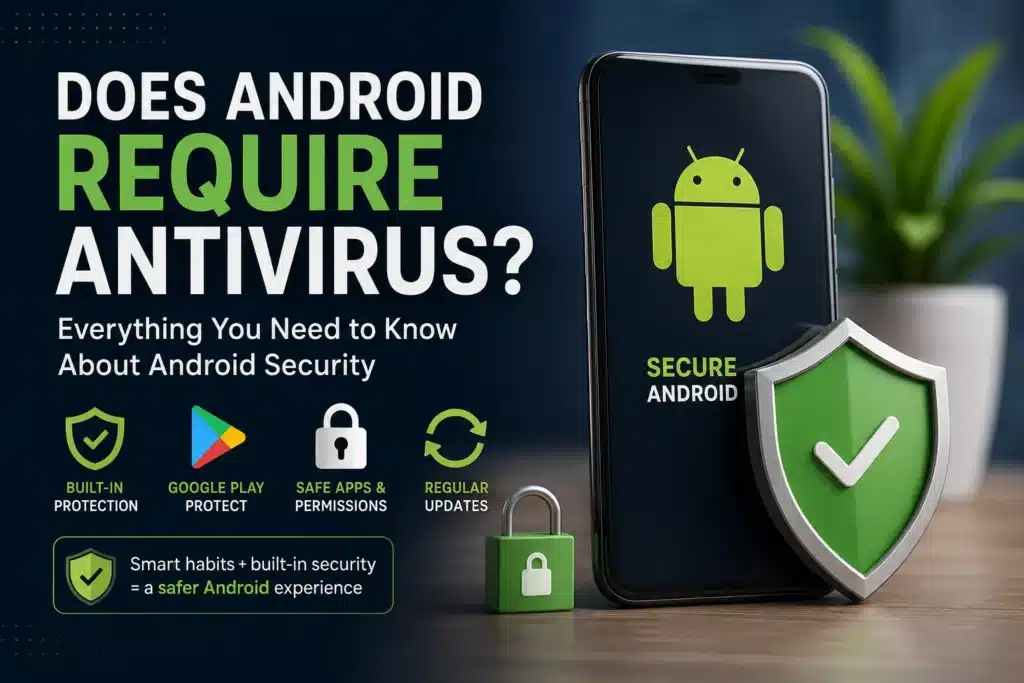
Table of Contents
- Does Android Require Antivirus?
- Why Android Has Built-In Security
- What Is Google Play Protect?
- Can Android Phones Get Malware?
- When Is Antivirus Software Useful?
- Who Has a Higher Android Security Risk?
- How to Protect Android From Malware
- Android Antivirus vs Google Play Protect
- Signs of Malware on an Android Phone
- Is Antivirus Necessary for Your Android Phone?
- Frequently Asked Questions
- Final Verdict
Does Android Require Antivirus?
Does Android require antivirus? For the average Android user, a separate antivirus application is generally not required.
Android uses multiple layers of security rather than depending on one traditional antivirus program. These layers include application sandboxing, app permissions, security updates, encryption, Verified Boot, and Google Play Protect.
This means your phone already has protection working in the background.
The level of protection you need also depends on how you use your device. Someone who installs applications from Google Play and keeps their phone updated has a different risk profile from someone who regularly downloads modified APK files from unknown websites.
The important distinction is that not needing a third-party antivirus app does not mean you can ignore Android security.
Good security habits remain essential.
Why Android Has Built-In Security
If you are asking Does Android require antivirus? because you believe every smartphone needs a traditional antivirus program, it is important to understand how Android’s security architecture works.
Android was designed with several security mechanisms that work together to reduce the risk of malicious software.
Android app sandboxing
Android isolates applications from one another using application sandboxing.
An application normally cannot freely access another application’s private data. This isolation helps limit what a malicious app can do without obtaining additional privileges.
Sandboxing is an important part of Android malware protection because it creates boundaries between applications.
App permissions
Android also gives users control over sensitive permissions.
Depending on the device and Android version, applications may request access to:
- Camera
- Microphone
- Location
- Contacts
- Photos and videos
- Files
- Phone functions
Before granting a sensitive permission, consider whether the application genuinely needs it.
A simple calculator, for example, should not normally need access to your microphone or contacts.
Security updates
Security updates are another important part of mobile protection.
Vulnerabilities can be discovered after a phone reaches the market. Security patches can address known vulnerabilities and strengthen the operating system.
This is why an up-to-date phone with good security habits can be safer than an old, unsupported device with several security applications installed.
Encryption and Verified Boot
Modern Android devices also use technologies such as encryption and Verified Boot to protect data and help maintain the integrity of the operating system.
Together, these technologies create several layers of defense.
What Is Google Play Protect?
If you are considering antivirus protection on Android, one of the first features you should understand is Google Play Protect.
Google Play Protect is Google’s built-in security service for Android devices. It checks applications for potentially harmful behavior and can warn users about dangerous apps.
It can also check applications installed from sources outside Google Play.
This makes Play Protect an important part of Android’s built-in protection.
It does not mean that every threat will automatically be detected. No security technology provides a guarantee against every type of malware, phishing attack, or scam.
Instead, Play Protect should be combined with sensible security habits.
Should Google Play Protect be enabled?
Yes.
For normal users, there is generally little reason to disable it.
To check Play Protect:
- Open the Google Play Store.
- Tap your profile picture.
- Select Play Protect.
- Check the security status.
- Review the Play Protect settings.
Keeping this feature enabled gives your device an additional automated security layer.
Can Android Phones Get Malware?
Yes. Android devices can be affected by malware.
Does Android require antivirus? The existence of Android malware does not automatically mean every user needs a third-party security application. Risk depends heavily on the device, software sources, security updates, and user behavior.
Android malware can include:
- Malicious applications
- Spyware
- Banking malware
- Trojans
- Adware
- Ransomware
- Credential-stealing software
- Fake applications
- Malicious APK files
Malware is also not the only threat Android users should consider.
Phishing attacks can trick people into entering passwords, payment information, or authentication codes on fraudulent websites.
Scammers can use text messages, email, social media, and messaging applications to create a sense of urgency and manipulate users into taking unsafe actions.
For this reason, Android malware protection should include both technical defenses and careful user behavior.
How malware reaches Android phones
One common route is downloading applications from unknown websites.
For example, a user may find a modified version of a paid application and install its APK without checking the source.
Another possibility is a fake application that imitates a legitimate banking, shopping, messaging, or cryptocurrency service.
Malicious links can also lead users to fraudulent websites or downloads.
For this reason, knowing where an application comes from is just as important as having security software on the phone.
When Is Antivirus Software Useful?
If you are wondering Does Android require antivirus? because you regularly install software from outside Google Play, your security needs may be different from those of an average user.
Although many users can rely on Android’s built-in protection, additional antivirus software can be useful in certain situations.
You frequently install APK files
If you regularly install applications from outside Google Play, your exposure to potentially harmful software can increase.
A reputable security application may provide additional scanning or web protection.
However, antivirus software should not be considered permission to download anything from anywhere.
The safest approach is still to verify the source of an application before installing it.
You use an old Android phone
Older phones can become a security concern when they stop receiving important updates.
Third-party security software may add some protection, but it cannot replace operating-system security patches.
If your phone is no longer supported, replacing it with a device that receives regular security updates may provide a stronger long-term solution.
You want extra phishing protection
Some Android antivirus products provide features that go beyond malware scanning.
Depending on the provider, these can include:
- Malicious website blocking
- Phishing protection
- Scam detection
- Privacy monitoring
- Identity protection
- Wi-Fi security checks
- Password management
If you need these features, additional security software may be worthwhile.
You use your phone for sensitive work
People who use Android devices for banking, business, financial management, or confidential work may prefer multiple layers of protection.
The more valuable the information stored on your device, the more useful additional security controls can become.
Who Has a Higher Android Security Risk?
Android security risk is not the same for everyone.
You should pay particular attention if you:
- Install apps from unknown websites.
- Download cracked or modified APK files.
- Use unofficial app stores.
- Click links from unknown senders.
- Install apps from unfamiliar developers.
- Use an outdated Android version.
- Disable security features.
- Give apps unnecessary permissions.
- Root or heavily modify your device.
- Use your phone for sensitive financial activities.
If you do not regularly do these things, your risk may be considerably lower.
For many everyday users, Android’s built-in security combined with sensible behavior provides a strong baseline.
How to Protect Android From Malware
If you want to know how to protect Android from malware, start with the fundamentals.
Does Android require antivirus? Before installing another security application, make sure you are already following these basic practices.
1. Keep Android updated
Install available system and security updates.
Updates can address known vulnerabilities and improve the security of your device.
If your manufacturer no longer provides security updates, consider upgrading when practical.
2. Keep Google Play Protect enabled
Google Play Protect is one of the simplest built-in tools available to Android users.
Keep it enabled and pay attention to warnings about potentially harmful applications.
3. Download apps from trusted sources
For most users, Google Play should be the default source for Android applications.
Be particularly careful with websites offering:
- Cracked applications
- Modified games
- Pirated software
- Free premium apps
- Unknown APK files
An APK that installs successfully is not necessarily safe.
4. Review application permissions
Check the permissions requested by applications.
If an application wants access to information or hardware that does not appear necessary for its purpose, investigate before granting access.
You can also review permissions for existing applications through Android settings.
5. Be careful with suspicious links
Unexpected messages can contain phishing links.
A message claiming that your bank account, package delivery, Google account, or payment service requires immediate action may be fraudulent.
Instead of following the provided link, open the official application or website yourself.
6. Protect your online accounts
Use strong and unique passwords for important accounts.
Where available, enable multi-factor authentication.
Even strong device security cannot protect an online account if its credentials have already been compromised.
7. Remove suspicious or unnecessary apps
Review your installed applications occasionally.
If you find an application you do not recognize, investigate it.
Removing unnecessary applications also reduces the amount of software running on your device.
8. Take security warnings seriously
If Android or Google Play Protect warns you about an application, do not automatically ignore the warning.
Investigate the app and its source before continuing.
Android Antivirus vs Google Play Protect
Many users compare Android antivirus applications with Google Play Protect.
Does Android require antivirus? Not necessarily, because Play Protect already provides an important layer of application security.
However, third-party security products may provide additional features.
| Feature | Google Play Protect | Third-Party Android Antivirus |
|---|---|---|
| Integrated with Android ecosystem | Yes | No |
| Checks potentially harmful apps | Yes | Usually |
| Scans installed apps | Yes | Usually |
| Checks apps outside Google Play | Yes | Depends on product |
| Web protection | Limited/varies | Often available |
| Phishing protection | Some protection | Often available |
| Privacy features | Limited | Depends on product |
| Identity protection | Limited | Some products offer it |
| Extra subscription | No | May be required |
| Essential for most users | No separate app required | Usually optional |
The important difference is that Play Protect is integrated into the Android security ecosystem, while third-party products may add extra capabilities.
You should also be careful when choosing security software.
Some fake antivirus applications use frightening warnings to convince users that their phones are infected when they are not.
Choose established and reputable security providers rather than installing an unknown application because of an alarming pop-up.
Signs Your Android Phone May Have Malware
Malware does not always produce obvious symptoms.
However, unusual behavior can justify further investigation.
Potential warning signs include:
- Unexpected pop-up advertisements
- Unknown applications appearing on the phone
- Unexplained battery drain
- Unusual mobile data usage
- Repeated redirects to suspicious websites
- Unexpected changes to settings
- Significant unexplained performance problems
- Unknown apps requesting sensitive permissions
- Suspicious activity on online accounts
These symptoms do not automatically prove that malware is present.
Battery drain and slow performance can also result from normal applications, system updates, aging batteries, or other technical problems.
If you suspect malicious software, review recently installed applications, check account activity, update Android, and use reputable security tools when appropriate.
Is Antivirus Necessary for Your Android Phone?
Does Android require antivirus? For most ordinary users, the answer remains no.
If you keep your phone updated, use Google Play Protect, download applications from trusted sources, review permissions, and avoid suspicious links, you already have a strong security foundation.
A third-party security application becomes more useful when you regularly sideload APKs, use an older device, require advanced web protection, or want additional privacy and identity-security features.
The goal should not be to install as many security applications as possible.
Too many unnecessary security and cleaner apps can create additional complexity without providing meaningful protection.
Instead, focus on the security measures that actually reduce your risk.
Frequently Asked Questions
Does Android require antivirus?
Most Android users do not need a separate antivirus application. Android already includes multiple security layers, including Google Play Protect, application sandboxing, permissions controls, encryption, and security updates.
Do I need antivirus on Android if I only use Google Play?
Usually not. Using trusted app sources, keeping Android updated, leaving Play Protect enabled, and avoiding suspicious links provide a strong security foundation for most users.
Can Android phones get viruses?
Yes. Android devices can be affected by malware such as malicious applications, spyware, trojans, adware, and other harmful software.
Is Google Play Protect enough for Android?
For many everyday users, Google Play Protect combined with regular security updates and safe browsing habits provides a strong baseline. It does not eliminate every possible security threat.
How can I protect Android from malware?
Keep Android updated, enable Google Play Protect, use trusted app sources, avoid suspicious APK files, review app permissions, and be cautious with unexpected links and messages.
Final Verdict
Does Android require antivirus? For most users, no.
Android already provides multiple layers of security, while Google Play Protect adds an important layer for identifying potentially harmful applications.
If you are still unsure Does Android require antivirus?, remember that a third-party app is only one part of mobile security. Your everyday behavior has a major impact on your risk.
Keep your device updated, use trusted applications, avoid suspicious downloads, review permissions, and remain cautious with unexpected messages and links.
For higher-risk users, reputable Android antivirus software can provide useful additional features such as phishing protection, malicious website detection, privacy monitoring, and identity-related tools.
For the average Android user, however, third-party antivirus should be considered an optional security layer rather than a basic requirement.