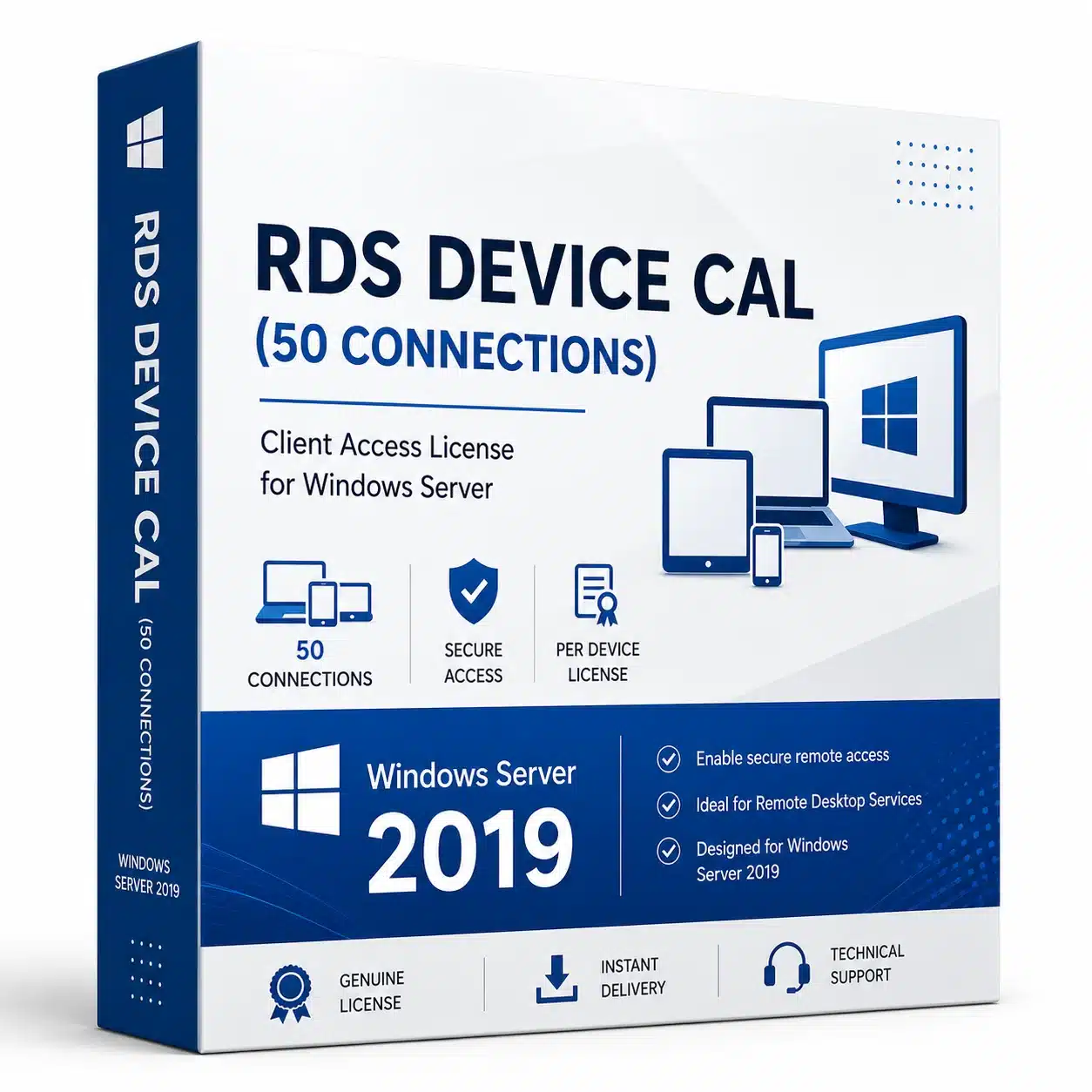
RDS Device CAL 2019 – 50 Connections Windows Server
RDS Device CAL 2019 is a licensing option designed for organizations that need Remote Desktop Services access for multiple devices running in a Windows Server 2019 environment. With support for up to 50 licensed connections, this product can be suitable for businesses, offices, organizations, and professional environments that require centralized access to applications, desktops, and server-based resources.
Remote Desktop Services allows users to connect to a Windows Server environment remotely and access resources according to the configured server roles, permissions, and licensing requirements. A Device CAL is assigned to a device rather than an individual user, making this licensing model useful when several people may use the same computers or terminals.
What Is an RDS Device CAL 2019?
An RDS Device CAL 2019 is a Client Access License associated with a device that accesses Remote Desktop Services on Windows Server 2019.
Unlike a User CAL, which is assigned to a specific user, a Device CAL is designed around the device. This can make the device-based licensing model practical in environments such as shared workstations, offices, reception areas, classrooms, production environments, and other locations where multiple users may work from the same computers.
The 50-connection option is intended for organizations that require licensing coverage for multiple devices. The exact licensing requirements depend on the organization’s infrastructure, deployment configuration, and Microsoft licensing terms.
RDS Device CAL for Windows Server 2019
This RDS Device CAL 2019 product is intended for environments using Windows Server 2019 Remote Desktop Services. It can help organizations structure their Remote Desktop licensing around devices that need access to the server environment.
Before purchasing, make sure that your Windows Server edition, Remote Desktop Services configuration, and existing licensing environment are compatible with the product you are selecting.
50 Connections for Multiple Devices
The 50-device quantity can be useful for organizations with a larger number of workstations or shared computers that require Remote Desktop Services access.
A device-based approach can be especially convenient when:
- Multiple employees use the same workstation
- Computers are shared between different shifts
- A business operates shared terminals
- Several devices connect to a centralized server
- An organization needs structured Remote Desktop licensing
- Users change frequently but the devices remain consistent
Choosing a device-based CAL can help organizations manage licensing around their hardware rather than assigning individual licenses to every person who may use a particular workstation.
RDS Device CAL vs User CAL
The main difference between a Device CAL and a User CAL is what the license is associated with.
A Device CAL is assigned to a device that accesses Remote Desktop Services. A User CAL is assigned to a specific user who accesses the service.
A Device CAL can therefore be useful when multiple users share the same computers. For example, if several employees use the same terminal at different times, licensing the device may be more appropriate than licensing every individual user.
Organizations should evaluate their actual usage pattern before choosing between device-based and user-based licensing.
Benefits for Businesses
An RDS Device CAL 2019 can support organizations that use centralized Windows Server resources and need remote access from multiple devices.
Remote Desktop Services can be used in many professional environments, including offices, educational organizations, support teams, administration departments, and businesses with centralized applications.
Centralized access can also help organizations manage applications and resources from a server environment instead of installing and maintaining everything separately on every workstation.
Centralized Remote Desktop Access
Windows Server Remote Desktop Services provides functionality for remote access to desktops and applications. Depending on the configured environment, users can connect from supported devices and work with resources hosted on the server.
The CAL is part of the licensing requirements for Remote Desktop Services. Having the appropriate licenses is important for maintaining a properly licensed deployment.
For detailed licensing requirements, customers should always consult Microsoft’s official documentation and the licensing terms applicable to their environment.
Who Needs RDS Device CAL 2019?
This product may be suitable for:
- Small and medium-sized businesses
- Corporate offices
- IT departments
- Educational organizations
- Shared workstation environments
- Call centers
- Administration teams
- Professional service companies
- Organizations using centralized applications
- Businesses with multiple Remote Desktop devices
If multiple users work from the same computers, a device-based licensing model may provide a practical way to organize Remote Desktop access.
Product Information
Product: RDS Device CAL
Quantity: 50 Connections / Devices
Server Version: Windows Server 2019
License Type: Device CAL
Purpose: Remote Desktop Services access
Platform: Windows Server 2019
Please verify the exact license type, activation method, delivery method, and product conditions shown on the product page before purchasing.
Buy RDS Device CAL 2019
If your organization requires Remote Desktop Services access from multiple devices, RDS Device CAL 2019 can provide a device-based licensing option for a Windows Server 2019 environment.
The 50-device quantity can be suitable for businesses and organizations managing multiple workstations or shared terminals.
Before placing your order through eShopBest, review the product specifications carefully and make sure the license matches your Windows Server environment and intended deployment.
For official licensing information, compatibility requirements, and current Microsoft terms, consult the official Microsoft resources.
Important Licensing Information
Microsoft product names and trademarks belong to Microsoft Corporation. This product is offered according to the license and delivery details stated on the product page.
Remote Desktop Services licensing requirements can depend on your server configuration, deployment method, and licensing agreement. Customers are responsible for ensuring that their environment complies with the applicable Microsoft licensing terms.
Always verify the exact Windows Server version, CAL type, quantity, activation method, and licensing requirements before purchase.



 Instant delivery
 Purchase Without Risk!
 Satisfied or refunded



Reviews
Clear filtersThere are no reviews yet.