Microsoft Office for Mac Lifetime: Complete Guide to Office 2024
Microsoft Office for Mac Lifetime is a popular search term among Mac users who want to buy Microsoft Office once and use it without paying a monthly or yearly subscription. Microsoft does offer one-time-purchase Office 2024 editions for Mac, but it is important to understand what “lifetime” means before purchasing a license.
A one-time purchase gives you a specific Office version for your Mac rather than a Microsoft 365 subscription. Microsoft confirms that Office 2024 is available as a one-time purchase for Mac and PC, with applications such as Word, Excel, and PowerPoint. However, one-time-purchase editions do not include future major-version upgrades or the full collection of Microsoft 365 subscription benefits.
In this guide, we explain how Microsoft Office for Mac Lifetime works, what Office 2024 includes, system requirements, installation, activation, licensing, and the differences between Office 2024 and Microsoft 365.
What Does Microsoft Office for Mac Lifetime Mean?
The phrase Microsoft Office for Mac Lifetime is generally used to describe a non-subscription Office license that you purchase once instead of paying continuously for Microsoft 365.
Microsoft officially describes Office 2024 as a one-time purchase. You pay once for the applicable Office edition and can use the included applications on one computer, subject to the product’s license terms.
However, “lifetime” should not be interpreted as “every future version of Microsoft Office forever.”
For example, buying Office 2024 does not automatically give you Office 2027 or another future major release. Microsoft explains that one-time purchases do not include upgrades to future major releases.
Therefore, a more accurate description is:
Buy once → use the licensed Office version → receive applicable security updates → purchase a new major version separately if you want to upgrade later.
Microsoft Office for Mac Lifetime: What Office 2024 Includes
For consumers, Microsoft’s Office 2024 one-time-purchase editions include different combinations of applications depending on the product.
Common Office applications include:
- Microsoft Word
- Microsoft Excel
- Microsoft PowerPoint
- Microsoft Outlook
- Microsoft OneNote
The exact applications depend on the edition you purchase.
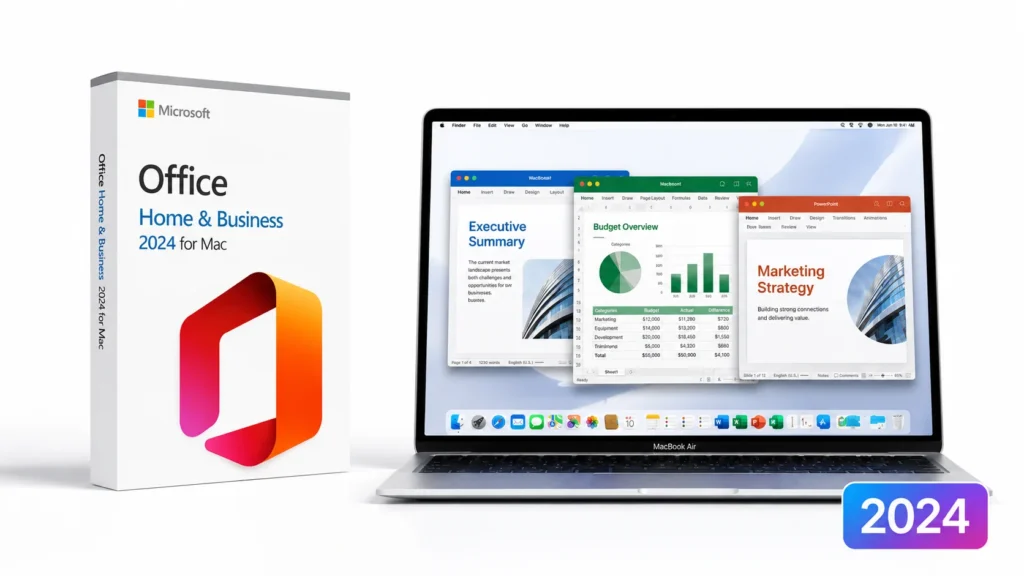
For example, Microsoft lists Office Home 2024 and Office Home & Business 2024 as one-time-purchase editions available for Mac and Windows.
Microsoft Word for Mac
Word is Microsoft’s document-processing application and can be used for:
- Documents
- Reports
- Letters
- Resumes
- Academic work
- Business documents
- Templates
Word remains one of the main reasons Mac users choose Office instead of relying exclusively on browser-based productivity tools.
Microsoft Excel for Mac
Excel provides spreadsheets, formulas, charts, data analysis, and financial tools.
It is particularly useful for users who work with:
- Budgets
- Financial spreadsheets
- Business reports
- Data tables
- Calculations
- Charts
- Project planning
Microsoft PowerPoint for Mac
PowerPoint allows users to create presentations, slideshows, business proposals, educational material, and visual reports.
The Mac version provides a familiar Office interface and can exchange PowerPoint files with Windows users.
Microsoft Outlook for Mac
Outlook provides email and calendar functionality.
However, the applications included depend on the Office edition. If Outlook is important to you, check the exact product description before purchasing.
Is Microsoft Office for Mac Lifetime Really Lifetime?
This is one of the most important questions to understand.
Microsoft Office for Mac Lifetime is not a subscription, but the term “lifetime” is mainly a marketing description rather than an official Microsoft product name.
Microsoft calls Office 2024 a one-time purchase. The license is associated with the specific Office version you purchased. Microsoft states that one-time purchases include security updates but do not receive new features or automatic upgrades to future major versions.
This means you can continue using your licensed Office version, subject to Microsoft’s support and licensing terms, but you should not expect a free upgrade to every future Office release.
For example:
Office 2024 license ≠ Office 2027 license
If a new major version becomes available later, upgrading may require another purchase.
Microsoft Office for Mac Lifetime vs Microsoft 365
The biggest alternative to a one-time Office purchase is Microsoft 365.
Microsoft 365 works on a subscription basis, while Office 2024 is sold as a one-time purchase. Microsoft says Microsoft 365 subscribers receive the latest features, security updates, and bug fixes, while one-time Office purchases do not receive new feature updates.
| Feature | Office 2024 One-Time Purchase | Microsoft 365 |
|---|---|---|
| One-time payment | Yes | No |
| Monthly/yearly subscription | No | Yes |
| Word | Yes | Yes |
| Excel | Yes | Yes |
| PowerPoint | Yes | Yes |
| Future feature updates | No | Yes |
| Security updates | Yes | Yes |
| Future major Office upgrades | Not included | Included while subscribed |
| Cloud storage benefits | Limited/not included | Included depending on plan |
| Multiple devices | Limited by license | Broader support depending on plan |
Microsoft’s official comparison explains that Office 2024 is designed for customers who prefer a one-time purchase, while Microsoft 365 provides continuously updated applications and additional cloud services.
Who Should Buy Microsoft Office for Mac Lifetime?
A one-time Office purchase can make sense for users who do not want another recurring subscription.
Students
Students who mainly need Word, Excel, and PowerPoint may prefer a one-time purchase if their school does not provide Microsoft 365.
Before buying, however, check whether your university or school already provides Microsoft 365 at no additional cost.
Home Users
Home users who occasionally create documents, spreadsheets, and presentations may not need the continuously changing features of a Microsoft 365 subscription.
A one-time purchase can provide the core Office applications without an ongoing subscription.
Small Business Users
Small businesses that want traditional desktop Office applications may also consider a one-time purchase, depending on their collaboration and cloud requirements.
For business environments, licensing should be checked carefully because commercial and volume-license editions can have different terms.
Microsoft Office for Mac Lifetime System Requirements
Before purchasing Office 2024 for Mac, check whether your Mac meets Microsoft’s current requirements.
Microsoft’s Office for Mac documentation states that Office for Mac is supported on the three most recent versions of macOS. Microsoft also supports both Intel-based Macs and Apple Silicon Macs for its supported Office for Mac editions.
Microsoft’s current documentation also states that new installations of Office 2024 for Mac require macOS Sonoma or later as of the September 2025 update.
Typical requirements include:
- Compatible Mac computer
- Supported version of macOS
- At least 4 GB RAM
- Approximately 10 GB available storage
- Internet connection for installation and activation
Microsoft lists 10 GB of available disk space and 4 GB RAM for Office for Mac system requirements.
Because Apple’s macOS requirements change over time, always verify Microsoft’s current requirements before purchasing.
Microsoft Office for Mac Lifetime Installation
Installing Office 2024 on a Mac is relatively straightforward when you have a legitimate license.
Microsoft provides official installation instructions for Office 2024 on Mac.
A typical installation process looks like this:
Step 1: Purchase a Legitimate Office License
Purchase Office 2024 from Microsoft or an authorized retailer.
Make sure you know which edition you are buying.
Step 2: Redeem the Product
If your purchase includes a product key, follow Microsoft’s instructions to redeem it with the appropriate Microsoft account.
Step 3: Download Office
Sign in with the Microsoft account associated with the license and download the Office installer.
Step 4: Install the Applications
Open the installer and follow the instructions displayed by macOS.
Step 5: Activate Office
Open an Office application such as Word or Excel and sign in when prompted.
Microsoft provides a dedicated guide for activating Office on Mac.
Is Microsoft Office for Mac Lifetime Better Than Microsoft 365?
There is no universal answer.
It depends on how you use Office.
A one-time Office purchase may be better if:
- You dislike subscriptions.
- You only need basic Office applications.
- You use one Mac.
- You do not need every new Office feature.
- You want predictable ownership of a specific Office version.
Microsoft 365 may be better if:
- You want the newest Office features.
- You use multiple devices.
- You need cloud storage.
- You collaborate frequently.
- You want continuous upgrades.
- You want additional Microsoft 365 services.
Microsoft explains that Microsoft 365 subscriptions can be installed across multiple devices, while one-time Office purchases are intended for one computer under the applicable license terms.
Microsoft Office for Mac Lifetime License Limitations
Although a one-time Office purchase has advantages, there are several limitations to consider.
No Future Major-Version Upgrade
Purchasing Office 2024 does not automatically give you the next major Office release.
Microsoft explicitly states that one-time purchases do not include upgrade options to future major releases.
Limited Cloud Services
Office 2024 does not provide the same collection of cloud-backed features and services included with Microsoft 365 subscriptions.
Microsoft’s documentation notes that one-time Office suites do not include services such as OneDrive, Exchange Online, or SharePoint Online as part of the purchase.
One-Computer License
For standard one-time-purchase Office editions, Microsoft states that the software can be installed on one computer, although certain license terms allow transfer to another computer under specific circumstances.
Therefore, users with several Macs and PCs may find Microsoft 365 more convenient.
How Long Is Office 2024 Supported?
Office 2024 is not an unsupported product immediately after purchase.
Microsoft’s lifecycle documentation lists Office 2024 with a retirement date of October 9, 2029.
This is important because “lifetime” does not mean the software receives unlimited support forever.
Microsoft’s support lifecycle determines how long the product receives official support and updates.
For organizations using Office LTSC for Mac 2024, Microsoft provides a separate support model. Office LTSC 2024 receives five years of Mainstream Support, with no Extended Support afterward.
Microsoft Office for Mac Lifetime: How to Avoid Fake Licenses
The popularity of the keyword Microsoft Office for Mac Lifetime has also led to many questionable offers online.
You may encounter websites advertising:
- Extremely cheap Office keys
- “Lifetime Microsoft 365”
- Unlimited devices
- Permanent Microsoft 365 subscriptions
- Shared Microsoft accounts
- Activation through unofficial tools
These offers should be treated carefully.
A genuine one-time Office purchase and a “lifetime Microsoft 365 subscription” are not the same thing.
Microsoft officially describes Office 2024 as a one-time purchase, while Microsoft 365 is a subscription service.
Never use cracks, unauthorized activation tools, modified installers, or suspicious scripts to activate Office.
They can create security risks and may violate Microsoft’s licensing terms.
Microsoft Office for Mac Lifetime: Official Download
If you already own a legitimate Office 2024 license, Microsoft provides official instructions for downloading and installing Office 2024 on Mac.
For the safest installation experience, use Microsoft’s official support resources rather than downloading Office installers from unknown websites.
You can also visit the official Microsoft Office support page for installation, activation, and troubleshooting information.
Frequently Asked Questions
Can I buy Microsoft Office for Mac Lifetime?
Yes. Microsoft offers Office 2024 as a one-time purchase for Mac. Microsoft describes this as a one-time purchase rather than a subscription.
Is Microsoft Office for Mac Lifetime the same as Microsoft 365?
No. Office 2024 is a one-time purchase, while Microsoft 365 is subscription-based and includes continuous feature updates and additional services depending on the plan.
Does Office 2024 for Mac include Word and Excel?
Yes. Office 2024 editions for Mac include core Office applications, with the exact application lineup depending on the edition you purchase.
Can I use Office 2024 for Mac without internet?
After installation and activation, many Office functions can be used offline. Internet access is required for initial setup and activation, and some online features naturally require connectivity.
Can I install Office 2024 on multiple Macs?
Standard one-time-purchase Office licenses are generally intended for one computer. Microsoft’s support documentation explains the installation limits and applicable transfer conditions.
Does Office 2024 receive new features?
No. Microsoft’s comparison states that one-time-purchase Office editions receive security updates but do not receive new feature updates.
What macOS version do I need for Office 2024?
Microsoft’s current guidance says new installations of Office 2024 for Mac require macOS Sonoma or later, while Office for Mac generally supports the three most recent major macOS versions.
Final Verdict
Microsoft Office for Mac Lifetime can be a useful solution for Mac users who want to pay once rather than maintain a Microsoft 365 subscription.
The key is understanding what you are actually buying. Microsoft’s official terminology is Office 2024 one-time purchase, not an unlimited “lifetime Microsoft Office” subscription. Office 2024 gives you a specific version of Office for your Mac, while Microsoft 365 provides ongoing feature updates and additional subscription services.
For users who mainly need Word, Excel, PowerPoint, and other traditional Office applications on one Mac, Office 2024 can be an attractive option. For users who need multiple devices, cloud storage, collaboration tools, and continuous feature updates, Microsoft 365 may provide better overall value.
Before purchasing, verify the exact Office edition, supported macOS version, installation limit, license type, and seller. Most importantly, avoid unofficial activation tools and suspicious “lifetime Microsoft 365” offers.